
Device
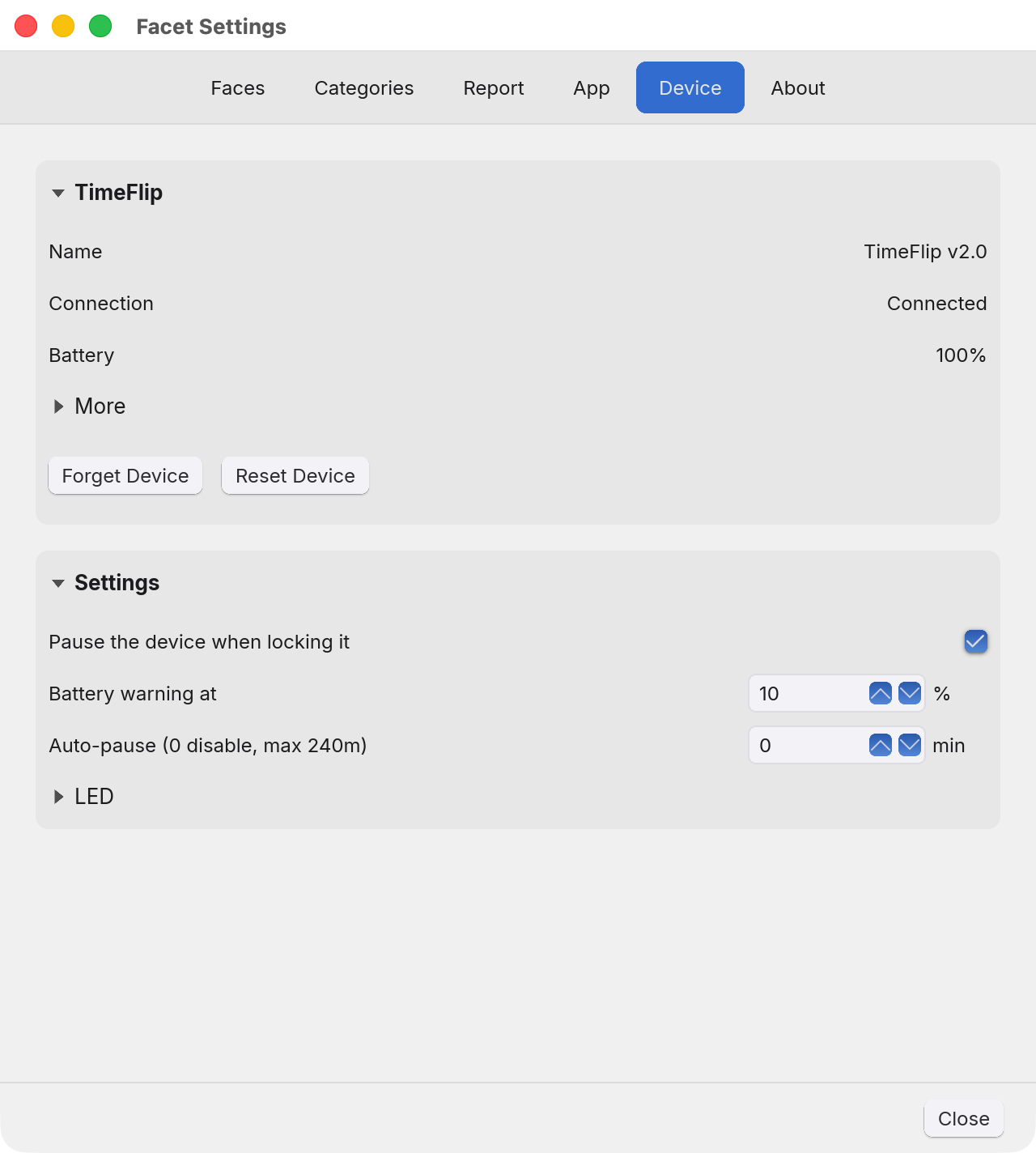
The device itself: what it is, how it is set up, and what it is doing.
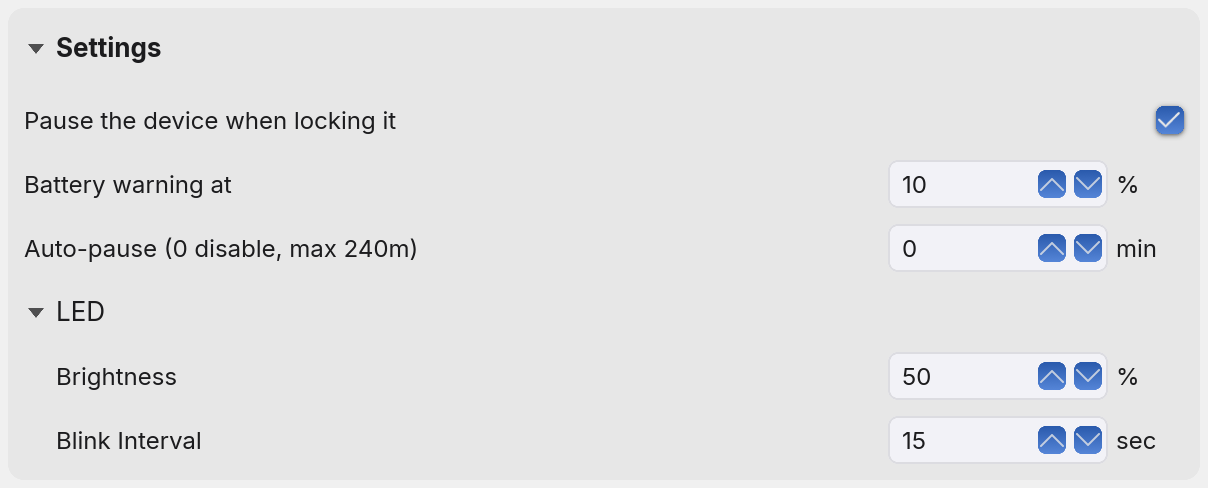
Two panels: what Facet knows about the hardware, and its settings. Auto-pause and the LED values live on the device. The other two, Pause the device when locking it and Battery warning at, are Facet's own and are never sent to it.
TimeFlip
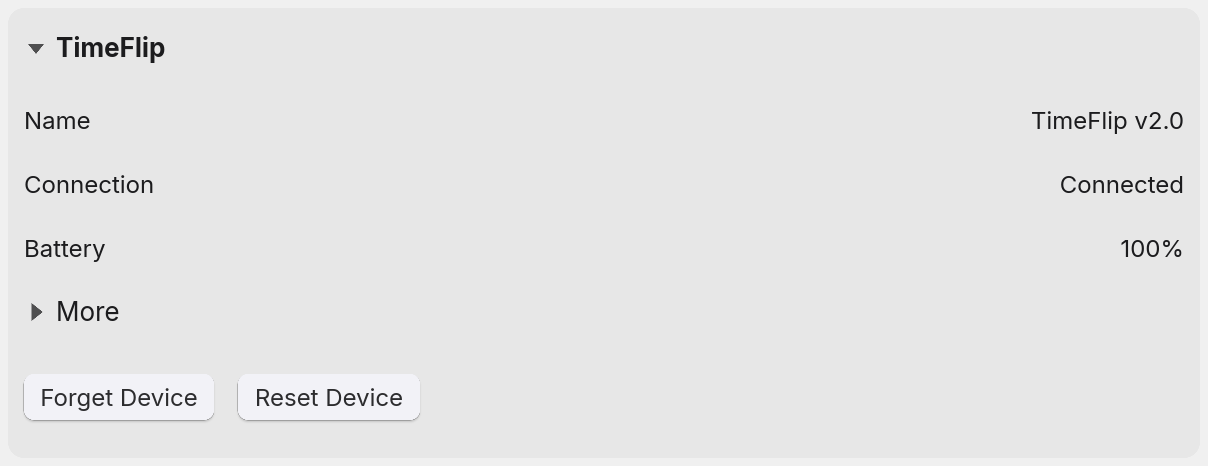
- Name. What the device calls itself. Click it to rename it, up to 18 plain ASCII characters, which is the device's own limit rather than Facet's, so an emoji or an accented letter is refused with an alert. The new name is sent to the hardware, so renaming needs the device connected. The device goes on advertising as TimeFlip v2.0 in scans afterwards, and the system may report the old name until the next connection. Facet says so, and still finds the device, because it remembers the new name.
- Connection. Three answers, kept apart because they are three different
situations.
- Connected is a device being followed.
- Disconnected is a device Facet is paired to but cannot contact at the moment.
- Manual mode, no device is no pairing at all, which is Facet timing on its own rather than anything being wrong.
- Battery. A live reading only, so it says Unknown whenever a paired device is out of reach rather than showing a figure that was true at some moment nobody can name, and Not paired when there is no device. The level it starts warning you at is the second row of Settings below.
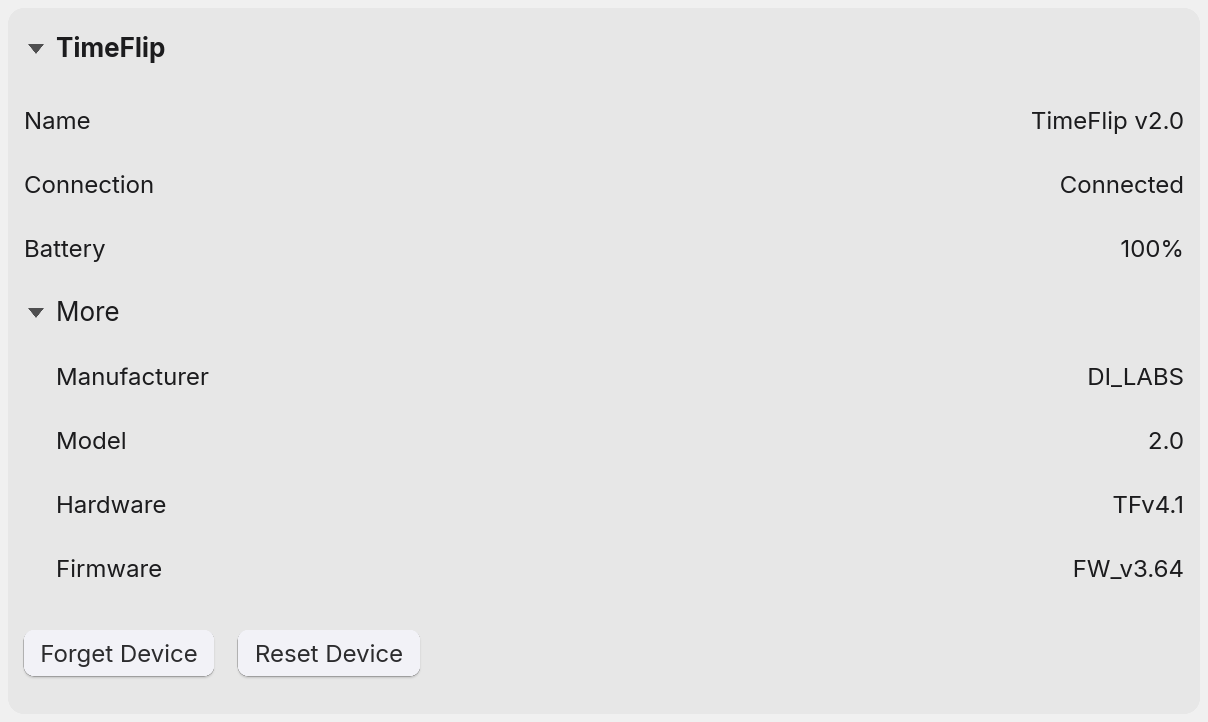
- More folds away the four things the device reports about itself when it connects: manufacturer, model, hardware and firmware. Each reads Unknown until the device has answered for it, and keeps showing the last answer, dimmed, when the device is out of range.
Pairing, forgetting and resetting
With nothing paired, the panel offers Scan for Devices and lists what it finds, which becomes Stop Scan while it runs. A scan stops by itself after fifteen seconds, and by leaving the tab or closing the window. A line beside the buttons says how it is going: Looking for devices..., Found 1 device(s)., No devices found. or Bluetooth is off. Click a device to pair it. All Devices beside the button drops the filter and lists everything advertising nearby rather than only what looks like a TimeFlip, which is the way in for a device that will not show up under its own name.
Once a device is paired, the same place offers two buttons instead.
- Forget Device drops the pairing. It is Facet's own bookkeeping and sends the device nothing, so a device that was locked or paused stays that way. It stays available while the device is out of range, which is the state you are most likely to want it in, except while Facet is actively scanning for the device or resetting it. Facet goes back to timing by hand from that moment, with no restart needed.
- Reset Device puts the hardware back to how it left the factory, erasing
the face colours, the LED settings, the name and the PIN. Auto-pause is the one setting a reset
does not clear. It is a command rather than bookkeeping, so it needs the device connected, it
asks before it does it, and it cannot be undone. Once you confirm:
- The reset command is sent to the device.
- Facet tries, in a loop, to log in to the device with the factory PIN,
000000, every few seconds for up to two minutes. - Once the device accepts the login, the reset is confirmed. Facet disconnects and gives up the pairing.
Settings
Every control here is greyed out until a device is connected. Auto-pause and the LED values are sent to the device. Pause the device when locking it and Battery warning at are Facet's own, kept in its database and sent nowhere.
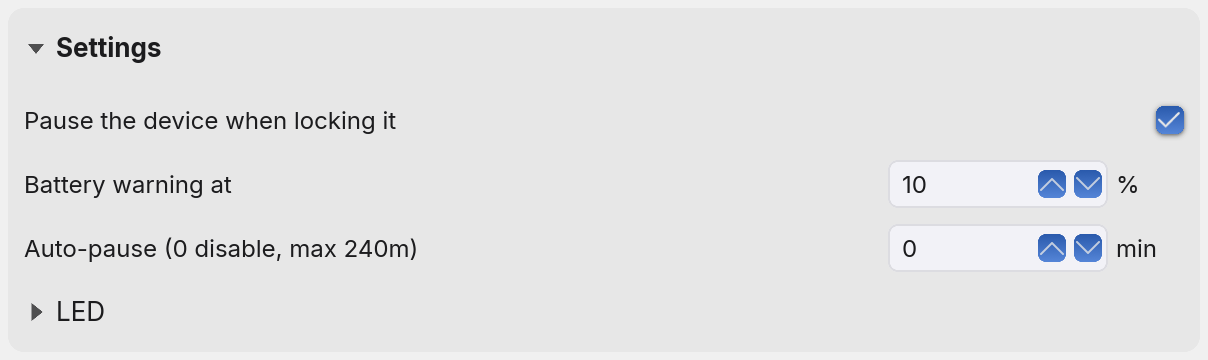
- Pause the device when locking it. What locking actually sends. Unlocking
only unlocks: a device that was paused stays paused until you choose Resume.
- On sends a pause and then the lock. Lock the device at the end of the day and whatever it was recording stops there, so the device can go into a backpack without rolling around and putting hours against whichever face happens to land up. This is the one to have if you work from home some days and the office on others.
- Off sends the lock alone. A device that was timing carries on timing that same category whatever face it is turned to, and one that was already paused stays paused. The lock still stops the device switching category as it moves; this setting is only about whether the clock stops with it.
- Battery warning at. The charge at which Facet starts saying the cells are going: the Battery reading on this tab blinks red, and the status icon's tooltip adds low battery. From 1 to 20%, and 10% until you change it. It is capped at 20 on purpose. The device runs on batteries you swap yourself, so the warning is not there to give you time to find some, it is there to let you choose when to swap them, because taking them out puts the device back to its defaults. A warning that stood for most of the cells' life would only teach you to ignore it.
- Auto-pause. The device's own idle timeout: leave it sitting this many minutes and it stops counting by itself. Whole minutes from 0 to 240, because that is the finest the hardware takes, and 0 turns it off, which is how Facet ships it. It is one setting for the whole device and takes no notice of the face: every face waits the same number of minutes whatever category it points at, and none can be given a timeout of its own. It is also the device stopping itself, which is a different thing from the pauses Facet applies. Setting it to 0 stops the device pausing on its own; it does not stop Facet, which still halts the clock on a face with no category and on a category that has spent its daily limit.
- LED. Brightness is a percentage of full, from 1 to 100, and Blink Interval is the gap in seconds between two flashes, from 5 to 60.
Double tap is not a setting. The device can pause itself on a double tap in its own firmware, without telling Facet, so Facet checks it at every connection and keeps the gesture switched off. That is suppression rather than a true off switch: a hard enough knock can still pause the device.
The device can lose these, and Facet puts them back
A flat battery, a factory reset or the vendor's own app can leave the device holding its own defaults rather than what you set here. Facet reconciles that on every connection, and on the device asking outright. Taking the batteries out is a larger event than any of those, and it has its own section below.
Where the device can be asked what it is running, it is asked, and only a genuine disagreement is worth a write: that covers Auto-pause, which the device reports as part of connecting. The two LED values have no read command at all in the hardware's protocol, so there is nothing to compare against and they are simply sent again every time. Facet is the record of what those two should be.
The PIN, which you never have to type
A TimeFlip is protected by a six-digit PIN, and the factory default is printed in the vendor's public protocol document, so a device left on it is one anybody within a few metres could take over. The first time Facet pairs with a device it replaces that default with six random digits, drawn fresh for your device and never the factory value, and keeps them in your system's secret store: the Keychain on a Mac, the Secret Service (GNOME Keyring, for example) on Linux.
A random PIN is only safe to set if the app can be certain it still knows it, so the checks
around it are the point rather than a detail. Facet writes a PIN down only after the device has
accepted it and let the app back in with it, so a PIN the hardware refused is never recorded as
though it took. If the secret store will not take the write, or does not answer within half a
minute, the app keeps it in a file called config.json in its own data folder instead,
rather than leaving the device on a value nothing can name. And when those two ever disagree,
nothing is assumed: the app settles it against the device itself the next time one answers, and
tidies away the spare copy only once the secret store is holding the right one.
On the ordinary path nothing about any of this is on screen, and there is nothing for you to do with it. The exception is a device that refuses every PIN Facet has, because another app set one: pairing stops with a message saying so, and taking the device's batteries out puts it back on the factory PIN.
A battery change puts the device back to the factory
Taking the cells out clears everything the device was holding: the settings above, the face colours, the PIN, and its name along with them. What comes back up is a factory TimeFlip rather than the one Facet was paired to.
When Facet reconnects it tries the factory PIN as well as its own, so a device that accepts it is given a fresh PIN, sent the settings above again, and has its faces lit again from the categories they hold, so nothing you have set up here has to be typed twice. If it does not reconnect, the way back is Forget Device and then pairing it again, exactly as you did the first time. Your categories and every hour ever recorded are untouched throughout: they live on your computer and have nothing to do with what the device is holding.
Anything else
Questions and faults: facet@tux.com.au.